You can open several browser windows and tile them next to each others too. Funny how people seem to forget they can use windows and their desktop capabilities instead of tabs.
You could also buy several monitors, turn them sideways, and set them up side by side. Or you could have skilled artists draw things out and present them to you in paper. Or you could get multiple Neuralink implants patched to your visual cortex and pipe the window renders directly to your brain!
It's not about how things possibly could be done, it's about minimizing friction. Desktops have become something of a pain in the ass; all the major operators are incentivized to push you to the browser, so they can pipe ads down your throat.
There are apps and custom shells and sometimes even baked in OS features that allow sophisticated GUI interactions, but the learning curves are steep, the features change or require upkeep, and sometimes it's just easier to have a feature built in to the thing you want the feature for.
> Desktops have become something of a pain in the ass.
I will respectfully disagree. Even on the link OP provided, I cannot read it via my mobile device, while I cwn easily do so via desktop browser.
As for the last paragraph, development isn't any simpler on mobile. Not just consideration of different platforms but also different versions and what they can support (both from features and hardware capability).
Your take is interesting, though. Thanks for posting it!
I didn't mean to indicate a trend toward mobile over desktop, but a trend to browser over desktop experiences. Native desktop apps and functionality should be the environment targeted by most apps, and conformity to those expectations would maximize user experience. Unfortunately, everyone wants everything run as PWA in browsers, to try and get some of that sweet, sweet adtech revenue.
You'd need a wide screen to make more than 3 articles pleasant, I think. The more you open, the more you'll want to rearrange or be able to increase/decrease or tile vertically.
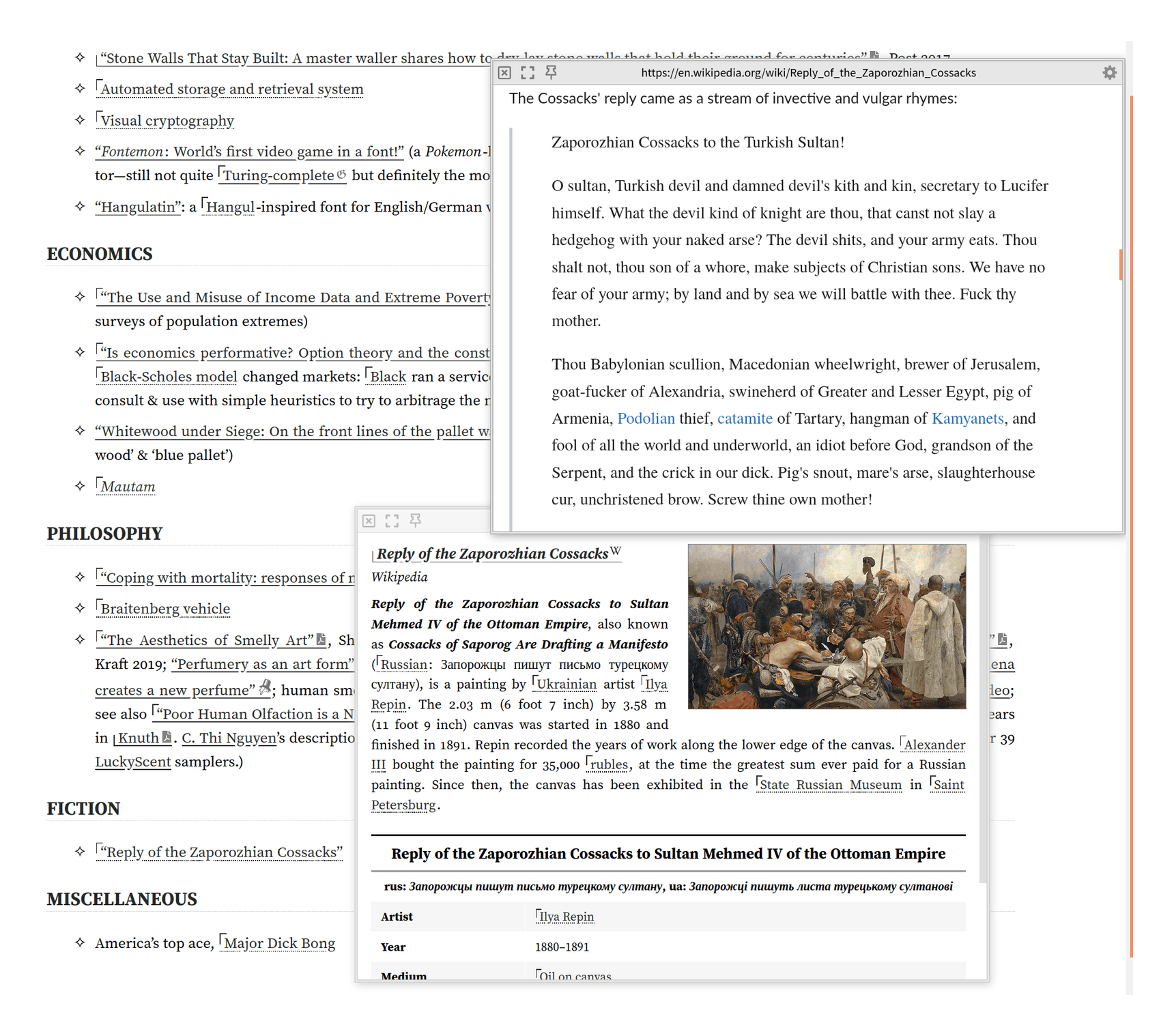
For example, on gwern.net, we have a very nice Wikipedia popup integration (which is in some ways better than OP - eg we follow redirects and handle dark-mode natively), and while most readers never notice it and will use it in the basic recursive popup mode like https://gwern.net/doc/design/2021-04-01-gwern-gwernnet-annot... , it doesn't do just recursive popups.
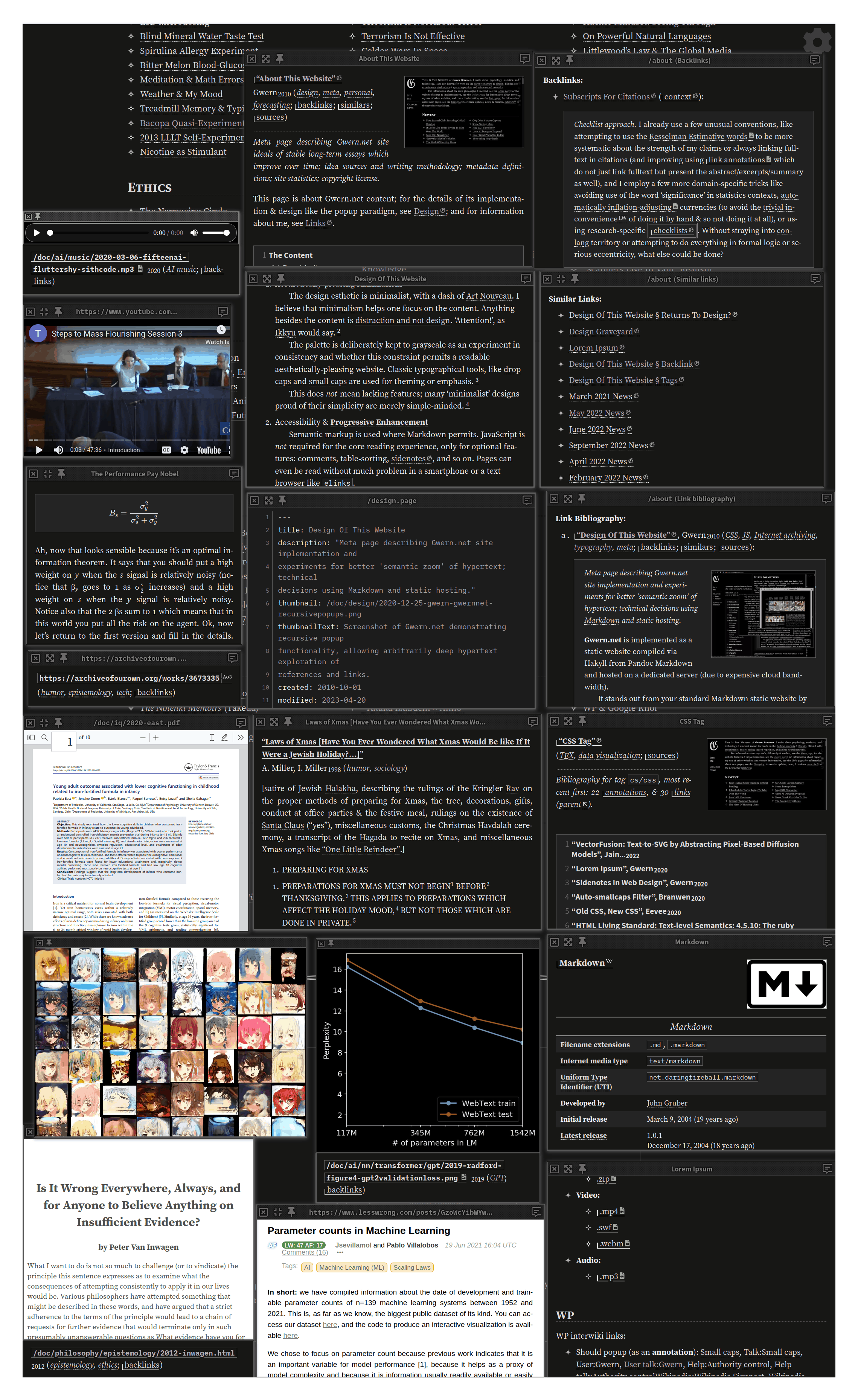
It's actually basically a full-blown tiling WM with keyboard shortcuts! You can have an arbitrary number, drag & resize, resize them to fullscreen or aligned to an axis, etc. So you can popup as many as you want to fit on your screen and rearrange them like in this demo screenshot: https://gwern.net/doc/cs/js/2023-09-14-gwern-gwernnet-popups...