"Outside of commercial use, the $100 dollar price tag is a little high for the 'impulse buy then stick it in a drawer' use case most of us using Pis are familiar with."
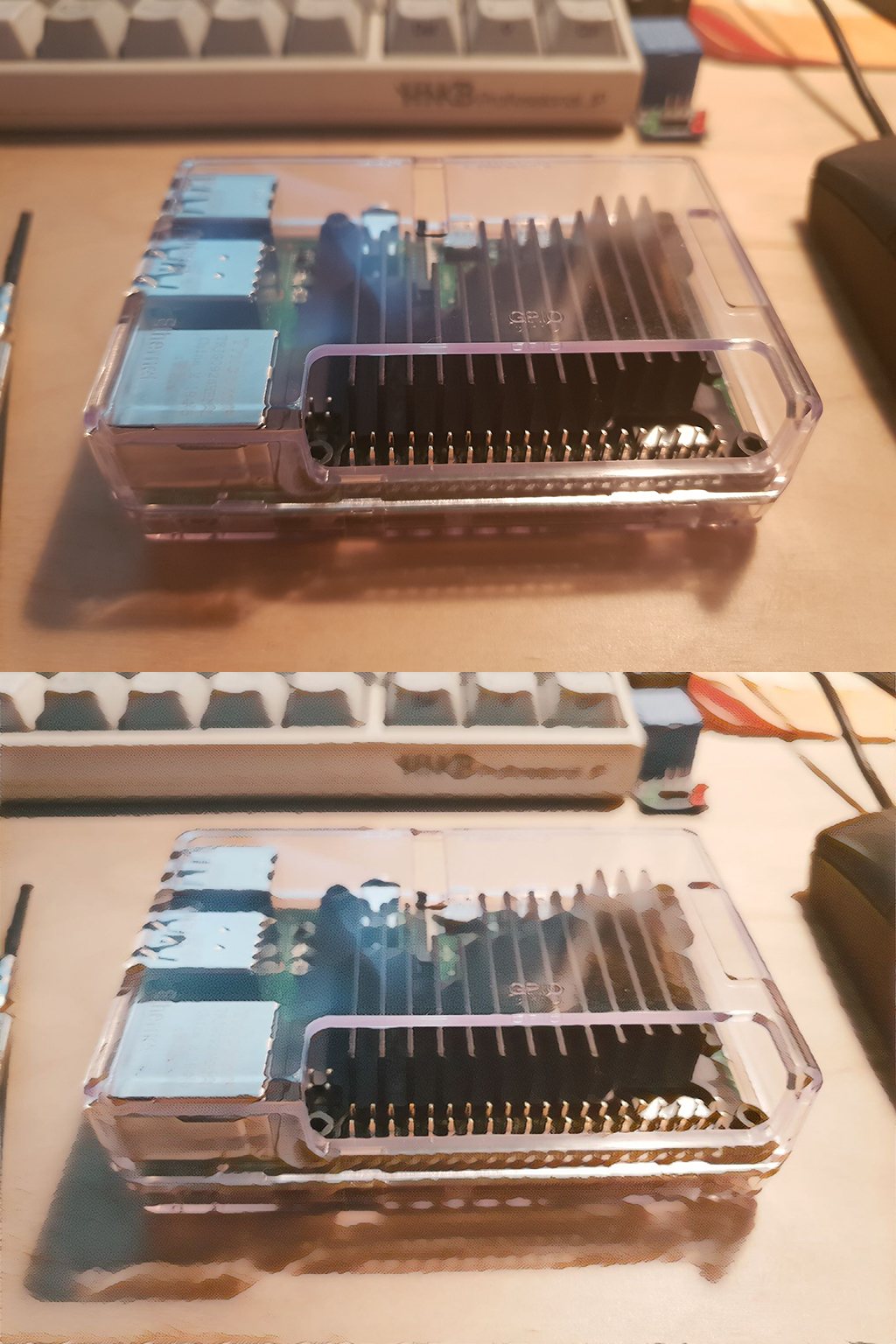
I swear, some day, maybe even soon, I will find a use for all the Raspberry Pis, various Pi POE adapters, Pi cameras, and sensors I own.
I suggest you don't develop an interest in esp32, or like me you may add an equivalent pile of those devices to your gaggle of interesting but unused hardware.
I've really gone down that rabbit hole recently, and I get it, but I don't regret it. There's a whole world of electronics that I've been missing. As wonderful as Linux is, at the end of the day, once you have Linux running on a device, it becomes a bit generic. The Raspberry Pi is useful and fun, but they are sort of interchangeable with any other Linux computer. These gumstick-sized microcontrollers bring back some of the joy I had with computing in years past.
Linux is indeed wonderful, but there's a lot to be said for dealing with things at a simple level when your goal is to e.g. measure voltages, turn LEDs and relays on and off etc.
I still find it incredible that a fairly fast, dual core computer with a color display, wifi, bluetooth, USB, battery charging and all the memory you need costs $8! [0]
That's really an incredible price for a computer with a color display. I enjoy and use Linux, but I think it's so versatile and general purpose my inclination is to put it online, run Firefox, play videos or whatever, and then it's magically just another PC. It's kind of like the old saw about every program expanding until it can do email. I'm starting to see the small devices, like esp32 inherit some of the aura of the old home computers which ran BASIC from ROM.
Not sure if you were referencing gumstix there, but I remember fantasizing about getting one of the tiny SBCs over a decade ago but they were too expensive.
I don't think I was consciously referencing Gumstix, but that must be where I first heard the term. I remember being interested in those at the time, but like you I thought they were too much.
The thing that I want in the future is things at the ESP32 price point that can actually do interesting work - i.e. 1GSPS ADC and an FPGA on a board for 20 bucks let's say.
I suspect moore's law may have died too early for it, but I can dream...
To be fair, I have 7 Pis running on my network. Home Assistant, 2x Pi-Holes (for redundancy), 1 magic mirror, my Weasleyclock, 1x w/ a hi-fi berry acting as a Spotify streaming device, and a garage door sensor. So roughly half the pis are in service. Maybe only 5% of all the sensors and projects are.
I have a rpi 2b with a hifi berry DAC hat too. It works great.
It is attached to a timecapsule with 20cm ethernet and usb cables, for data, network and power. Nothing important on the sd card.
Since some hostile clients (such as TVs) have hard coded DNS, it is necessary to forward all port 53 and 853 traffic to a pi hole. This is easy enough with NAT redirection rules in the router, even with two pis.
Not your parent poster, but I manually configured them as primary and secondary DNS servers (dockerized PiHole), and then just used pi-hole's "export configuration / restore configuration" tool to keep the DNSs mostly in sync.
I heard there's a tool called Gravity Sync that will sync them, but I have not tried it yet.
I just advertise both Pi-Holes via DHCP and when I configure manual DNS settings. The primary DNS gets the vast majority of the DNS traffic, about 150 requests/minute and the secondary gets about 10 requests/minute (mostly from a single device).
Both piholes are on different UPS power, different switches, in different locations. In theory the lights will go out on the main UPS and switch first (it draws more power), but this configuration did save me once.
The typical reason for running redundant pi holes is high availability. If you really want all DNS traffic to go through your filter then your internet ceases working as long as your DNS server stops running.
If you have an extra Pi Zero W, Klipper has lower system requirements than Octoprint and runs better if you don't need any of the plugins that Octoprint offers, or a USB webcam hooked up.
Though it will involve flashing Klipper over Marlin on the CR10. That just means more stuff to tinker with!
By "modulating the clock" I mean modulating the SoC base clock frequency (nominally 100 MHz, but increased to be a valid and unused FM channel, if decreased then the pi locks up) with the audio to make an FM transmitter. Hook up a wire to the clock output GPIO pin and you have an FM antenna. Lay it next to an old FM clock radio and you now have a clock radio that plays whatever you want. Make a cron job and forget it.
I’m certain it plays hell on software timekeeping. If you don’t have an RTC then switching to chrony and increasing the poll rate should help prevent potential clock error.
The tipping point for me was setting up the infrastructure to network boot my Pis. Now it's trivial for me to plug in a Pi anywhere on the LAN, and even switch what OS it is booting into just by changing a symlink on my fileserver. It's now very easy to experiment with different things, and not worry about the cards dying.
Hah! As I look down near my feet there is a clear plastic bin full of pi's, usb cables, micro hdmi, a picam, a go pro, all kinds of crap I swear I will use and never do.
I do have a pihole running on a pi3 that has been serving dns for my home network for about two years now without so much as a hiccup.
I usually use them as local dev env. I deploy everything to my local cluster before I try to run it on a real infra. It is pretty good. I can also virtualize some of the workload using Firecracker.
There's a price point here that makes sense, and it isn't $100 + the Pi + the M2 SSD. Anything more than this and you get into the low-end laptop price range with full x64 compatibility and a Windows license.
Except by that point you're dealing with a full laptop with proprietary drivers and, well, Windows itself.
There's a reason a Pi took off as the SBC of choice: How open it is and what it still can do without adding things to it.
If you're only looking at price tag when it comes to adding an SSD and a hat to compute module, the compute module concept was never for you in the first place.
I have three Raspberry Pi computers. The third, a Pi Zero came in the mail today. So I'm sold on the strong points of the system.
My point wasn't about the laptop having Windows, just that there was a "Windows tax" on the inexpensive laptop and it still offered a better price / performance value. I bought a laptop a couple of years ago for $250. It has a display, two kinds of USB ports, HDMI, Ethernet, a keyboard, trackpad and a battery. I'm sure I could run Linux on it if I needed to. It's not fast, but it's faster than any tricked out Raspberry Pi.
If we envision the Raspberry Pi as a learning tool, it's almost too good. It's really too powerful and too complex. As a general purpose computer it still falls short of what I consider a good use of my free time. Don't get me wrong, it's fantastic that there is such a wide market for add-ons for the Pi, for an aftermarket of small players with neat ideas. I have to pry myself away from the sites where they sell this stuff. But this project is just a little too expensive to make it worthwhile for me. I'd like to see a Pi+M2 kit for $100, which likely there will be in time.
For lots of low income people Linux on ARM is a down grade and the stuff that only "desperately poor" people would even consider. Having a "proper" laptop with a "proper" OS will decrease the perceived difference between yourself and other non poor people.
I’m experimenting with self-hosting platforms, like sandstorm.io. (It is not currently available on an rpi, though there is a lot of interest within the community)
Right now though, going to setup pi-hole so my daughter can stay on task during remote learning, and if we ever get a smart TV, pi-hole the adtech dns.
I recently had a need for one (installation of Octoprint), but then realized the one I had in a drawer was too old to work. So I ended up having to purchase a new one anyways.
Apparently I was incorrect in stating that NVMe boot is not yet supported—this week the Pi Foundation added a new docs page[1] explaining the (in beta) process for enabling NVMe boot on the Compute Module 4, which currently requires updating the firmware _and_ bootloader.
Not something to rely on in production yet, and right now it doesn't work with NVMe drives behind a PCIe switch, so this limits some of the utility, but it is good to know it's being worked on!
I reading an article recently that if Microsoft really wanted to make Windows on ARM64 take off they should sell a "developer machine" like a Raspberry Pi 4 with Windows ARM64 preinstalled for $199. If such a machine had an M.2 drive as an option (microSD or eMMC default) I suspect it would be a huge hit.
They don't sell them directly, but Microsoft maintains a list of boards you should buy (probably as close to "Windows Certified" as you'll get for small batch boards).
Well, Windows 10 IoT will run on a pi 3, but I don't recommend it. It works well enough, but it seems to have been abandoned by Microsoft, so it's doubtful there will be any updates.
Seems like a great way to attract people to linux. “Hey I know windows so I can get a raspberry pi and try that.” Then “wow this doesn’t run very well. I guess I should try raspbian...”
Really hoping that the RPi 5 has this. Combined with presumably improved overall performance, it would be a game changer. I don't think it makes sense to fork a 'pro model'. Probably cheaper overall to just add it the regular model.
That and preferably default UEFI; you can already use a third-party version on whatever your boot device is, but sticking in a tiny bit of on-board storage and flashing UEFI firmware at the factory would let us finally not need pi-specific images
It means that I can download a generic aarch64 OS image instead of needing the special pi image that knows how to work with its nonstandard boot sequence.
They are the premier ARM platform anyway, but the real problem is that a 5W CPU is too slow to work with, unless you write everything minimalistic from scratch!
It really depends what you're doing. The 5W CPU in the Pi is more than adequate for a lot of tasks. Heck, I wrote papers using Libreoffice on the original model Pi.
The Pi4 is powerful enough to run web browsers comfortably, which was a problem on the original Pi. Office programs run no sweat. You can even do light development work.
Yes I have switched to using a Pi4 8GB as a desktop machine running WindowMaker and it's speedy as can be. Am using a USB3 SSD but booting from /boot on the SD card, which then loads the main system from the SSD.
Can happily do C++ work on it or RDP to a Windows machine.
I meant work as in compiling work, when you are used to 65W X86 the ARMs stand no chance. My 3D MMO engine compiles in 2 seconds on my Windows PC but it takes 10 seconds on Raspberry/Jetson, enough that I decided to build a 45W Atom computer to try the inbetween... with 25W CPU and 20W GPU!
Even if that would mean I have to "port" the engine to linux/X86. Until now I just had windows/X86 and linux/ARM!
Yes, it says hi and then when you want to upgrade the disk/RAM you can't. And when it breaks you can't fix it and Apple sells you another one for bazillion dollars. And you have to use Metal instead of OpenGL. That's when I say goodbye until they reverse engineer the GPU and port OpenGL to it! :D
Now I didn't even mention the App store tie in and how you need to sign the binaries on Apple hardware and how they poach 30%, but you get the picture.
> And when it breaks you can't fix it and Apple sells you another one for bazillion dollars.
I’f you’re lucky enough to live in a country with consumer protection laws (NZ is one), Apple will fix if for you for 3-4 years.
So you pay the fortune you mention and then a bit more to cover this feature.
Really those APIs bring nothing useful to the table.
OpenGL (ES) 3 with VAO was the last feature that really moved any interesting goalpost (to reuse that phrasing since we have a tree structured comment field to move those around) for games.
Most new protocols are just job security.
Edit: Also calling something that just released in hardware (OpenGL ES 3) legacy is kinda weird.
Now I can reply to your comment (what is going on hn, why is there a timer on the reply button the deeper you get?)
Performance with the low level APIs are not something that competes with OpenGLs higher level API, they are complementary; eventually there will be OpenGL drivers written in Vulkan!
That said, I have yet to meet anyone that can give me a practial example that affects gameplay where Vulkan (or Metal/DX12) makes a difference!
Also last but not least fragmentation is bad, I rather support OpenGL (ES) 3 on all platforms than port to those 3 new APIs.
Sure, OpenGL can be implemented on top of the native efficient APIs.
The biggest problem with OpenGL is the state. It severely affects CPU usage and limits parallelism options. The second problem is poor handling of buffers.
It hardly matters, anyway. Vulkan, D3D 12 and Metal are very similar and almost always used indirectly through a game engine that can take advantage of them.
Unity and Unreal are so bad. I mean compile for 30 minutes? To use them is to have technical debt way beyond what is healthy.
So why can't you make OpenGL stateless? It seems to me multithreading is really bad on the new APIs too, you'll have to trash memory with a bunch of buffers that then gets submitted by one thread causing motion to photon latency!
RdR2 had like 10 frames of lag! Completely unplayable.
I prefer direct/forward rendering one one thread and make the graphics simpler instead. Graphical fidelity is not important to make a fun game, just look at Nintendo.
It's almost never a IO bottleneck, the amount of code is too small for it to be IO.
8 seconds x 1 million compiles = 92 days!
When you code action games you want to iterate quickly to make the controls and physics as good as possible.
I made a .dll/.so hot-deploy system to be able to work effectively, so I can hot-deploy the game in <1 second on the Raspberry but then on the PC I do it in 100 microseconds!
No, not everything requires a complete rewrite. The browsers for example benefit from code reuse. The UI is another matter. Wrapping and rewriting is a given on the system side, though.
Thonny runs well on my Pinebook Pro, so in that case comparably wimpy ARM based Linux machines can be used for things like Python development even with an IDE.
It just depends on how heavy-duty what you're trying to do is. Scripting in general runs fine on my ARM SBCs. The real trouble is if you've got something that you need to recompile every time you make a change and you don't have a cache set up.
It could be done with a zero with C++ I would imagine. IIRC the zero is 700mhz single core. I’m using a Pi4 which is quad core 2.XGhz. Our current Python code uses 20-50% (I forget exactly) of each core. I’ve not made any attempt to optimize, and most of that is probably object serialization for IPC which could be improved (for eg with shared memory).
No battery. It runs directly off of solar power with a supercapacitor bank to provide peak currents. Power draw while driving walking speed on level ground is 20-30 watts with the latest drive system (not shown in the video). Solar panels are 8 100 watt panels.
The project is a work in progress. We just open sourced everything and wanted to start building a community of interested followers who would like to see our progress and share ideas. I do mention this in the blog post but I realized afterwards that understandably a lot of people just watch the video and don’t get the full picture. But we’re adding a vision system now and tools will come in the future. We’re solidifying the base vehicle right now which is what you saw in the video.
Feel free to ask me here or join our community at the first link I shared if you have any more questions!
Whats this obsession with ysing raspberri pi for work? It makes no sense, PI doesnt ecen have proper cooling. Get an Intel Nuc if you want a miniature PC, at least it has all the ports, disks, etc.
That’s a vastly more powerful machine, 8-10x the size when counting the brick, and way less fun to hack about with.
I love my Nucs but the Pi is better.
The nuc is better when you want to use a PC for real work. The pi is better for when you want to drive random sensors and displays as well has general tinkering. I'd hardly call one better than the other.
OK, I'll bite. How do, "all the cases for the Raspberry have bad design"?
I have one of these Flirc cases: https://www.adafruit.com/product/4553.
It looks fairly nice, acts as a heat sink, so my Pi 4 chugs along fine without having to throttle even when using all cores.
THAT is good design, comparatively everything released for the Raspberry looks like turds.
The Flirc in particular has 2 major flaws: It has a plastic lid on the top?! And it has the logo, things that have to put their name on their product always have bad design. The design should be the logo!
Raspi really needs to come out with a 'pro' model. I guess they kind of did with the compute module but raspi's are used a lot professionally in industry, probably more than they are used as a tool to get kids and developing nations into computer science.
Just noting that according to the Pi Foundation/Pi Trading, they do sell 44% of their boards to industrial customers[1], so education is definitely a primary goal, but they do have a much broader audience, and I'm sure that influences some of the decisions about what hardware and price points to target.
I interviewed in person at a leading industrial automation company over five years ago. They were looking for someone to work on ARM stuff and I was (naively) proud of the work I'd done with the original Raspberry Pi in school. The hiring manager had never even heard of the Pi...
Things have changed a lot since then. One of the well-known names in industrial automation, Opto-22, now has adapters to connect their hardware to raspberry pi. And they're not the only one.
They don’t need to, but the desire to see it is understandable. Raspi is the de facto ARM linux box. It’s cheap, it’s everywhere, it’s performant. If you have a niche interest then the platform that it’s been developed and tested on is raspi. That’s far more valuable than a $10 savings on a $30 computer.
I don't understand this divide. Why people shouldn't have access to "pro" level tools for education? I had plenty of instances in my life when I tried to do something with consumer tools only to be disappointed and giving up, but later on re-discovering the topic with better tools that lead me to some great results.
Cost of low end nvme drives is getting closer to more expensive SD cards now (which are not meant to be used as a hard drive). I see no reason why RPi shouldn't release an update with nvme slot and even dropping SDCard slot altogether.
Industrial IoT does use Pi's a fair bit, but this is IMO a misuse (I'm guilty of it too) and in the long term can be a disservice. The Pi is a great platform for a go-to-market product, but they have many shortcomings that for most use-cases in industry are showstoppers (most notably, Pi's will often fail without warning, or their "disk" will become corrupt). More expensive industrial products are out there and typically are more robust, and designed in a way that they can be more seamlessly integrated to a product - once the upfront costs are paid (both in development and dollars).
What really needs to happen is other manufacturers making the development on their hardware more straightforwards. What the Pi foundation has done is shown that companies and developers want to just be able to run a widely available and minimal linux distribution and not have to muck about with proprietary and poorly documented SDK's behind closed doors.
> Pi's will often fail without warning, or their "disk" will become corrupt
You get what you pay for. But this is beating a tired horse that I'm skeptical was ever true to begin with. Are the people with SD card corruption just using crap cards to begin with? I've used a pi4 and rock64 and neither had any disk corruption. Plus you can boot on USB today. And fail without warning? Is that really a thing? No sensor saying there is a heat problem?
You can definitely reach for an industrial product with similar specs. But just keep in mind that niche products may have even less market testing than a Pi. There is some truly crap hardware and software out there that people suffer with simply because it's the only player in the niche.
Indeed - you do get what you pay for. I've personally had one 2nd gen rpi fail without warning and have also had several instances of SD card corruption.
The SD card is probably crap like you say but it can be formatted and passed read/write verification testing when connected to a PC which is a bit weird.
PIs are used in industry when possible because so easy because unofficial documentation and community is so large to the point where practically every use case has already been documented.
It's much easier for Raspi foundation to release a more industrialized version than it is for another manufacturer to create this support and community. They could still operate on their non-profit mission with the profit.
Industrial microcontroller and embedded companies do need to also make their software and docs better. There seems to be some modernization but it's slow.
I'm curious about this as someone who keeps eyeing the Pi's for a solution to a few problems customers have brought up. It looks like there is a pretty big cost jump to get something equivalent, but I may just not know where to look.
it would still depend on the firmware. people forget that Raspberry Pi is controlled entirely by the proprietary ThreadX RTOS which acts as a hypervisor and allows Linux to run as a virtual "guest" on the pi.
and for the uninitiated, ThreadX RTOS is not the same as Intel's ME. ThreadX is a critical dependency to run any OS on PI. without Intel ME, you can still run an OS.
this virtualization model is still largely why Pi performance is complete garbage compared to pine64, banana pi, beagle, and others.
I thought ThreadX only ran on the VideoCore, basically to bootstrap Linux on the ARM processer. The only performance that might affect is elapsed time to boot.
That doesn't sound like virtualization to me. Do have more info?
To explain this again, it technically is a guest. The GPU cores run a real time operating system called ThreadX. This operating system is closed source and rules the system without the open source Linux Kernel being aware of it.
When the Raspberry Pi starts booting the CPU is completely disconnected (technically in reset state) and the GPU is the one that starts the system. You can have a look at the `/boot` folder and you will see some of the binary blobs used by the GPU to both start the CPU and run its own ThreadX OS (bootcode.bin and start.elf). You can learn more details about the boot process here.
After the GPU has the CPU load the Linux Kernel, it doesn’t just stay there waiting to act as a graphics-processing-unit. The GPU is still in charge.
The document you linked refers to a more technical one that explains they don't disable the ME until after the main OS is booted, because...
"The disappointing fact is that on modern computers, it is impossible to completely disable ME. This is primarily due to the fact that this technology is responsible for initialization, power management, and launch of the main processor."
ME is still required; that strap option that the article describes just disables the stuff like it's network stack and remote admin facilities after it has started the Intel cores. It is still required to be on for power management for instance.
Also, interestingly you can swap out the terms on your paragraph and it's still true
> When an Intel CPU starts booting the CPU is completely disconnected (technically in reset state) and the ME is the one that starts the system. You can have a look at the boot flash partitions and you will see some of the binary blobs used by the ME to both start the CPU and run its own ThreadX OS.
Although albeit, on newer MEs they switched from ThreadX to Minix. The ME is very very very similar.
"Technically" it's not a guest relationship, the ARM cores start in EL3 (above hypervisor mode in secure mode).
And none of this show any perf costs to having a management core (except maybe some minimal bandwidth pressure?)
Can you explain in specific, concrete terms what this means?
For example: I've read that the undervoltage monitoring happens on the ThreadX process, and that it throttles the ARM cores when low voltage is detected. The vcgencmd has more info on this, including the following bit field returned by vcgencmd get_throttled:
    Bit Hex value   Meaning
    0          1    Under-voltage detected
    1          2    Arm frequency capped
    2          4    Currently throttled
    3          8    Soft temperature limit active
    16     10000    Under-voltage has occurred
    17     20000    Arm frequency capping has occurred
    18     40000    Throttling has occurred
    19     80000    Soft temperature limit has occurred
Someone need to kickstart CM4 carrier board with multi-port Ethernet. The CM4 can support 5 Gpbs throughput and having 4-port Ethernet will make a really cheap and nice home router [1].
Also, if you go to the main page on that site, I have tested multiple multi-port PCIe cards, like a dual 2.5G card and a 4-port Intel i340, and all of them can be made to work without too much effort.
There are a few different things you can do with it, but in total, you'll be limited to about 3.2 (only through PCIe) to 4.2 Gbps (if also using the Pi's internal 1G ethernet) of internal bandwidth.
Full duplex as far as I can measure (in various scenarios). I'm still wrangling a couple PCIe switches that were giving me trouble previously, so I will definitely keep trying to get more than that!
It would be interesting to see a barebones ethernet switch board with some L2/L3 features (VLAN, LACP, etc.) on the switch chip in the data plane, interfaced to the CM4 as the brain and management plane, as something with more programmability than commercial lower-end switches (same price range as Mikrotik/Ubiquiti gear).
I wonder how programmable/open/capable low-cost ethernet switching chips are these days.
From the follow on of the provided Twitter link in Jeff's website and based on the latest status updates, it seems that the 4-port Ethernet CM4 carrier or Raspberry Router from Blinkinlabs is taking shape now [1].
It uses KSZ9897 switch and LAN7431 PCIe-to-Ethernet adapter from Microchip, and the former does supports VLAN and LACP [2]. The fact that the switch chip can supports up to 7-port Ethernet thus it is possible to make a version of Raspberry Router that can be used in company setting (Mikrotik's customers) in addition to home networks.
That's some extremely slow performance for all the money spent to add NVME to the Pi.
I get that there's a fun factor involved with raspberry pi stuff, but I wish the performance to price was better. I'm better off buying off-lease USFF pulls or something instead for anything I do, they cost less and generally use about the same power relative to performance.
The interesting thing for me has been the curve of performance/dollar over the past decade since the first Pi came out.
The gap was huge back then, but the Pi 4 is now getting competitive for some use cases (especially if also considering power efficiency for lighter usage patterns), and I can see a time where the value gets even better depending where things end up with a Pi 5 or 6 in the next few years...
It's definitely interesting to see their progress. They are fairly rapidly catching up to the minimum performance needed to run most typical users apps.
I hope there's a future Pi with more PCIe lanes. 4 would prevent the PCIe bus from being a bottleneck. Or it could have USB 3 and NVMe, maybe even a 2.5GBPS ethernet.
I have one, and I've only been toying around with it, but I've been fairly impressed. The hardware is very nice - polished, while still keeping everything accessible. The software is pretty decent also. The documentation leaves something to be desired.
That said I don't see it as completely overlapping with the Pi. The ESP32 in the M5Stack is a much less powerful system in terms of performance, memory, storage, etc. It's not running Linux, so your code is much closer to the metal. That can be both good and bad depending on what your goal is: you have much more control over the hardware but it limits your choice of programing languages and what existing software you can depend on.
I actually just bought one of these! I'm working on a project where I need a battery, IMU, speaker, and quite a bit of processing power (for real time audio), and their m5 core2 aws IoT product met all those requirements for only 40ish dollars.
I only just got it, but it took me only a couple straightforward hours to set up the dev environment and compile and flash their sample hello world project. (I haven't done anything with esp32 before).
I don't think it's analogous to the rpi, though (which I haven't used) --- you can't put Linux on the m5stack products because they're meant for much simpler tasks.
Few weeks ago I was looking for something like this. If there was anything similar, it was always sold out or did never launch, I don't expect better availability with item. And if they ask for $100 which is way too high and would give me better boards, pls provide two M2 slots.
If you're going to split a 1x PCIe lane into two M2 slots, you might as well save the cash and get a Pi4 and use two USB3 thumbdrives instead. The performance would be about equal by that point.
The PI 4 only has a single PCIe lane. Two M.2 Slots would require a PCIe switch which would make things more complex and expensive, as well as limiting the overall performance if you were trying to use both drives simultaneously.
The form factor of the RasPi is a large selling point for me, and to have more than 1tb, it’s nice to see an option that doesn’t involve a cable or dongle plugged out of the side of the case next to the NIC port. I’m excited to try using this with RaspiBlitz, which requires at least 400 gigs for the blockchain alone.
If you like duct taping things to each other, no :)
Personally I'm appalled when people say it's easy to add peripherals to a Pi via USB. Maybe some deep fear of octopuses?
Also note that the resulting system in TFA will lose usb 3 capability, because there's only one pcie lane and you can use it for usb 3, nvme but not both.
This is exciting. Drive performance and the discussed clunkiness of external drive connections have been something of a chore. This makes me excited to pick up some projects again
Exactly. There are so many use cases for the RPi that very often people wonder why you’d ever want it to support X. When the people that want feature X have a completely different use case in mind.
Embedded people don’t need faster IO, so why use it? If you want to use it as a desktop, you might not need eMMC, but an M.2 slot would be critical.
Do you know if anyone makes a back-plane/carrier board (not sure on what the actual name is) for hosting/holding multiple CM4? I found a few for the CM3 but they seem a bit cost prohibitive.
There is at least one other multiple-CM4 board 'in development', though I can't share any detail, other than keep an eye on this page for when it might appear: https://pipci.jeffgeerling.com/boards_cm
On top of that, it's 50/50 in my experience as to whether the fault was the microSD card, or a weak / insufficient power supply (that's the main reason, I think, the Pi Foundation now makes their own).
One other consideration is I've found (at least on the Pi) CPU load is increased when performing heavy read/write activity. Certainly a little more than when I do the same thing through a SATA controller or testing through a Broadcom hardware RAID adapter.
And that CPU load gets a little into the worrisome territory when I put multiple NVMe in a RAID (which I'll be documenting soon!).
I wouldn't say that's a problem. I'd say it's a balancing act. For some purposes yes you want a separate power supply. But for others it's handy to not need a separate power supply.
There's no test methodology, so it doesn't matter. Is it measuring raw block device I/O or filesystem I/O, which filesystem, is it submitting I/O requests sequentially or in batches so that the OS can queue multiple requests at once, etc. etc. There's nothing to compare against, so I didn't even try running the test.
USB 3.0 has no trouble with high random I/O either, anyway.
Article is comparing different SSDs, not just different interfaces, so random 4k block read speeds differ. But it doesn't show what's possible with good USB 3.0 SATA controller and good SSD.
I just wanted to point out that speed difference doesn't have to have much to do with the interfaces themselves.
Another question: is that MB/sec or MiB/sec? Note that the 400 MiB/sec benchmark is 420 MB/sec.
Not a _huge_ difference, but it is a difference ;)
The other major difference is anything non-sequential, especially things like 4K reads. This is where the PCIe->USB->SATA (or PCIe->USB->NVMe) adapter overhead really slows things down.
Dunno, looks too complicated, and our results will not be comparable, because my block devices use LUKS encryption, and this doesn't measure raw block device access.
I wrote this quick benchmark tool, maybe try it. It does test raw block device 4k random reads via random batches of 128 reads submitted via io_uring:
  https://megous.com/dl/tmp/t.c
  (reduce ROUNDS to 5 or 10 if you test something non-SSD)

  gcc -o t t.c -luring
  ./t /dev/sda
On my workstation:
- My HDDs show 4k read iops in the range of: 126-139
- My samsung 980 pro nvme hovers around 160-180 kIOPS
- Samsung 840 PRO SATA : 95 kIOPS
- Samsung 860 EVO SATA : 90 kIOPS
On my Orange Pi 3:
- USB 3.0 attached intel SSD : 4k IOPS = 15393
- USB 3.0 attached samsung 850 EVO : 4k IOPS = 43154
- Sandisk ultra A1 uSD card 10/2019 model: 4k IOPS = 2512
(they are improving over time :))
So that's about 60MiB/s and 168MiB/s random 4k reads over USB 3.0. (controller supports UAS)
Is it hitting the SSD or interface limit? Dunno. I don't have the exact same samsung ssd model connected via SATA anywhere. But it's much more than the values in the article, so the values in the article are certainly not the USB 3.0 interface limits for 4k random reads.
dd is outputing non-SI units in this case, so it was around 392MiB/s
I'm curious about CPU usage for the two adapter types. My experience (quite a while back...) was that USB required a bunch more involvement from the CPU than the simpler block-oriented drivers.
(Hubs don't affect things much; on the order of tens of nanoseconds of additional latency when things line up properly).
Overclocking the Pi's CPU _does_ increase the speed of some operations, for sure. For example, in my network tests, I can get 1.9 Gbps on a 2.5G adapter with MTU 1500 at 1.5 GHz (default Pi 4 clock), or 2.2 Gbps at 2.0 GHz.
Using MTU 9000 lets me get over 2.3G on that adapter.
Given that "Raspberry Pi" or "RasPi" and its many other permutations are never mentioned alongside "Apple", I think it's going to be safely distinctive with or without "M2" by its side.




I swear, some day, maybe even soon, I will find a use for all the Raspberry Pis, various Pi POE adapters, Pi cameras, and sensors I own.