> With these latest changes, Sublime Text 3 is almost
> ready to graduate out of beta, and into a 3.0 version.
Wow, Finally! I have been using ST3 for several years (wow, years) and always wondered what is keeping the developer from labeling that version as stable. From all the issues reported here [1] I have never encountered one while using the editor for pretty much all my work. Those $70 are definitely worth every penny. Sometimes I cringe from videos featuring ST while using a non-registered license, this week it happened with a course from Google engineers via Udacity, Google engineers!!! As if they don't have miserable $70 to buy a license, I assumed they were in a rush and didn't have time to set the license which I hope they bought.
Anyway, thanks for all the hard work Jon, and recently Will.
Same here, buying an ST license is probably the single best SW-related purchase that I've ever done. ST3 works so flawlessly, it's just ironic that it's still technically a beta version. It is actually much less buggy than many "final version" competitors ;-)
On a side note, it is notable how, despite being a closed-source program, ST was able to generate a large ecosystem of open-source plugins; that is not something that happens every day (Jeskola Buzz comes to mind as a similar case: also closed source and with a large open-source plugins ecosystem, but I'm not sure how many people on HN are familiar with tracker-style music software, LOL).
ST bootstrapped its ecosystem by directly and shamelessly cloning every one of its original features from the TextMate editor, and just copy/pasting its entire ecosystem, without contributing anything back. For years there was no special support for actually working on custom features from within Sublime Text, so if you wanted to create new language grammars or syntax highlighting modes etc. you needed to do it from within TextMate. Sublime users would come to the TextMate IRC channel to complain about particular language bundle features that were buggy in the not-quite-compatible environment of ST, and ask TM users to fix it for them. Kind of comical really.
Even still, TextMate is a substantially more carefully designed tool. My impression is that the Sublime programmer didn’t really understand the underlying philosophy behind many of the features he cloned, and kind of screwed up a bunch of the subtler details. (This isn’t really surprising; I’d say it pretty much always happens when anyone just copies something that exists; they seldom perfectly understand the context or ideas of the original creator, so the copy is always at least a bit degraded/distorted, with less clarity of vision.)
Sublime does have the advantage of working on more platforms though.
> Even still, TextMate is a substantially more carefully designed tool.
Do people still actually use TextMate? Judging by their website [1], for example the screenshots taken under an ancient version of OS X, I thought it'd been abandoned years ago. The last post on the blog is in October 2014.
I tried both TextMate and Sublime Text and find ST to be much better for what I do (web, Python and text editing).
Copying or not, "badly designed" or not, in the end Sublime Text is blazing fast even on a big files, extensible with the help of Package Control and has some native features (like multiple cursors) that make the difference.
I switched to ST2 after about 20 years of VI(m). I happily paid the money to NOT have to deal with 50 different plugins designed to get VIm to, essentially, work like ST, with the side bar and tabs. I switched to Mac as my primary desktop not long after, and looked at TextMate. I WANT to support the Apple "ecosystem" in ways like using a "Mac" text editor, but I still work on Linux (and Windows). Not having cross-platform capability is a deal breaker for me, and ST is just as good as VIm in this regard.
I've said it before, and I'll say it again – the fact that ST saves buffers no matter what has saved my butt so many times I can't even count. The effort it would've taken to restore the lost data had those buffers not been stored would've costed way more than $70 every time. Even if ST was worse in every possible way than other editors (and it's not,) I'd still pay money for this (and I did.)
I don't know if my license will stop working when ST3 comes out of beta (I think I bought it for ST2, but it was so long ago at this point I don't even know) but if it does I'll happily shell out another $70. ST is one of the few tools I use that never, ever caused me any grief. Not once. It just works, works really well, and does all I need it to do.
Agreed. The ability to paste some data I may or may not need after a couple more hours of debugging, and have that buffer save through a reboot -- without needing to save it to a file -- is something I've come to rely on. I only realized this when I tried Visual Studio Code, and noticed that it wasn't doing the same thing.
I noticed that too, but for some reason I can't seem to figure out how exactly it works. It's not just like in ST, as my buffers get lost. After a while I just gave up because I don't actually need to switch from ST...
There's a confusing bug related to this feature. Currently, Atom only automatically re-opens unsaved buffers in "project" windows (those associated with a particular directory). See https://github.com/atom/atom/issues/10474 for details. It's a real bummer and I hope it gets fixed soon.
The fact that it is a pseudo-free piece of software is one of the biggest reasons for its success (apart from its blazing speed and the rugged, minimalist engineering aesthetic). People just get used to the occasional nag screen as a sort of background noise.
I'm hopelessly tied to IntelliJ's amazing IDEs for any sort of programming, but Sublime is my EDIT.COM for all other writing, especially note-keeping. I used it in that capacity for around a year, guiltily enduring the nag-screen, before I got around to buying it. This free-but-nag approach (not Nagware - too negative) was unusual for the times, but it reminded me of the Shareware days when successful software like PKZip spread virally, but extracted commercial value only when the users felt like it.
The fact that it is a pseudo-free piece of software is one of the biggest reasons for its success
I think the demise (in terms of active development) of TextMate should not be understated as a factor in ST's success. At the time Sublime Text 2 came out, a lot of TextMate users were frustrated with the lack of progress on TextMate and hopped on the ST bandwagon.
Ironically, ST had the same fate for a while. But it's good to see that there is some movement again.
I have a license too but as I'm moving between workstations and sometimes between accounts even on the same machine, I don't always paste the license in, because it would be extra effort to dig it up and copy-paste it...
I bought it on day one when I discovered that Sublime supports Windows, Linux & Mac.
I wanted a "modern editor" after vim, which works the same way across platforms, easy to install and configure, supports proportional fonts and does save on focus lost, yet still neither a memory hog nor a snail.
I never would have paid just for getting rid of the nag screen, but I was so impressed with its quality, I just had to express my gratitude by paying. :)
It's probably not that they don't have $70, but that they don't have time and it's easier not to bother. Buying software at big companies can be a pain.
I know that I often put off inputting my license on a fresh install because it's kind of a pain to hunt down. Or at least it's easier to dismiss the occasional notification than it is to log into my email and try to find the license key.
Sorry, I must disagree. For 70 bucks you get developers who hardly fix bugs, who don't listen to users (I posted a few feature requests in their site and was banned) and with a crazy architecture (try and change the highlight colour of brackets in BracketHighlighter and see what I mean). They are worse than Microsoft. Screw them.
It was great when it came out, but now Atom is better.
>Sorry, I must disagree. For 70 bucks you get developers who hardly fix bugs
I've been using the beta of ST2 for years and the dev of ST3 for years after that, and have seen hardly ANY bugs. (on OS X). I use with it SublimeLinter (Python, JS, PHP), a Shell linter plugin, GoSublime, JSONFormatter, Vintageous, and a few other plugins.
>who don't listen to users (I posted a few feature requests in their site and was banned)
Maybe it was the tone that got you banned? The forum is chock-full of feature requests. I've posted some and didn't get banned. Whether they are implemented or not depends on the roadmap and their popularity/feasibility. Obviously not all will be.
>and with a crazy architecture (try and change the highlight colour of brackets in BracketHighlighter and see what I mean).
BracketHighlighter is a third party plugin, so nothing to prove some ST3's supposed "crazy architecture".
>It was great when it came out, but now Atom is better.
Atom was, is, and due to its architecture, will always be, slow. It has been slow every time I've tried it, and it's the common complaint of every Atom user whenever Atom is on HN.
> Maybe it was the tone that got you banned?
You have no basis for this statement.
> BracketHighlighter is a third party plugin, so nothing to prove some ST3's supposed "crazy architecture".
BracketHighlighter is forced to do things in a certain ways by ST3's crazy architectura.
And is it crazy overall, or just when it comes to handling brackets from a plugin, in which case, it might just be a corner case that was not originally catered for?
You can't define a colour in the plugin. You HAVE to define it in a theme. It's ridiculous, because then you have to define it for EVERY theme you switch to.
This sounds totally sane -- and the best way and most flexibile way to go about it, not crazy.
Highlight colors should be the responsibility of highlight themes, and users should be able to change them by changing the theme they use or adjusting it to their taste, not by ...hacking into a plugin that hardcodes them.
At best you could argue that the plugin could be allowed to hardcode a color, and themes could optionally override it -- but even that breaks separation of concerns.
Even if it was crazy (which it is not) it's a tiny part of ST (just how the syntax highlighting works), and wouldn't be proof of any general "crazy architecture" of the editor.
I share your sentiment about the buggy software and the unresponsive devs; I moved to Atom for the same reason.
However great Atom is though, it's unbelievably slow and nearly unusable because of that. Unfortunately, I haven't been able to find a better alternative since.
> However great Atom is though, it's unbelievably slow and nearly unusable because of that. Unfortunately, I haven't been able to find a better alternative since.
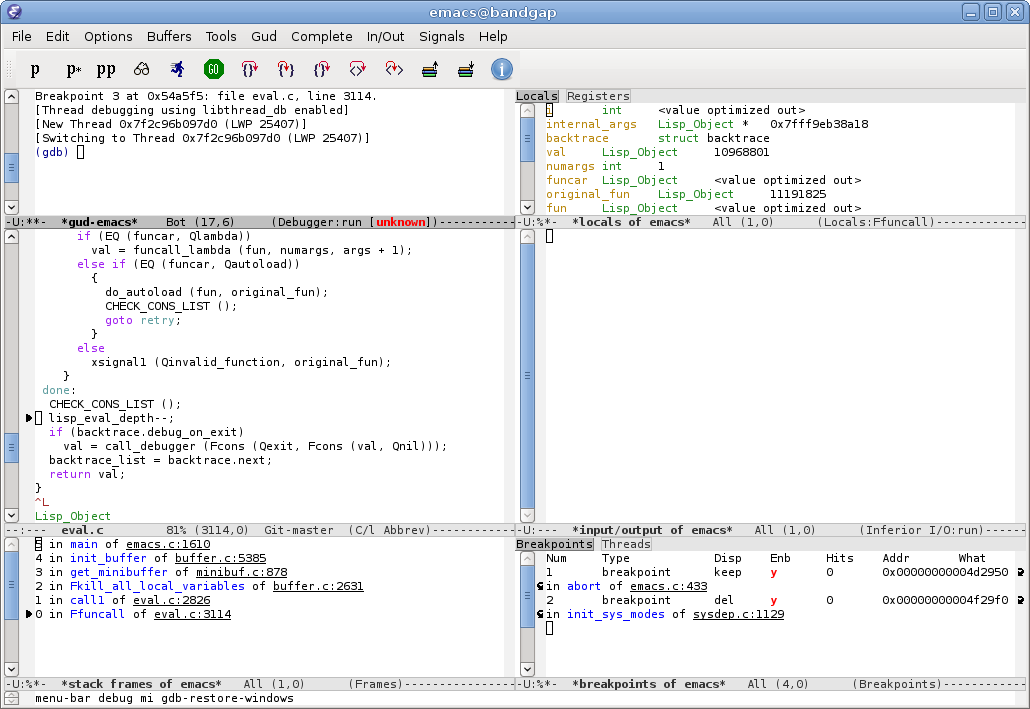
Have you given emacs a shot? While once upon a time it was derided as eight megabytes and constantly swapping, it's extremely fast after forty years of Moore's Law.
It's cross-platform: if you run an OS, odds are emacs runs on it. It runs in both the terminal (convenient for remote sessions) and in the X/Cocoa/Windows GUIs.
It has modes for just about every programming language in use, and then some.
It has a plethora of keybindings for dealing with code semantically, e.g. navigation by expressions or blocks. If you prefer, it also has vi keybindings.
It's extraordinarily extensible, so much so that web browsers (three that I can think of), mail readers, news readers, process browsers and shells have been implemented in it.
Indeed, for many people emacs can become more of an OS than their OS.
As a former Emacs fan, I think Atom is actually the best modern alternative to Emacs.
I just recently looked at my old .emacs file to discover that the majority of code in there was to get the features that come out of the box with Atom. Of course Emacs does allow you to configure and program way more than Atom, but the downside is that you have to do it because the defaults come from computer history museum - it's great fun though if you like to learn about the history of the field.
I've been pleasantly surprised just how easy it is to extend Atom. It invites you to configure it, with very approachable docs and built-in tooling, but it doesn't force you to.
Are you using the latest version? I can hardly see a speed difference compared to VS Code anymore, even for big projects and files. It's certainly very far from being unusably slow.
>buggy software and the unresponsive devs
I mainly use VS Code for that reason. It does feel a bit more polished and Atom is missing some much requested features, most notably a list of open files in the sidebar (the plugins that offer this are all terrible).
Tried Atom for Mac right now. Opening a tiny (10k rows) csv file took multiple seconds, opening a larger (100k rows) csv put out a warning about potentially taking a lot of time and in a second simply crashed before loading it.
A 5-year old i7 is far from a beast machine. You're a typical Apple customer that pays too much for an underperforming piece of crap and then complains about the performance.
My computer - a 3+ year old i7 - opens the 20 million line CSV from http://files.grouplens.org/datasets/movielens/ml-20m.zip in ST3 in about 25s and opens the 1 million line CSV from there in little over a second. 10s to open a 100 thousand line file on a modern machine is unnecessarily slow.
I didn't say 10 seconds was fast and it isn't, but for the very few times I have to open files with 100k lines it's more than enough and far from unusable.
When you regularly work on such files, Atom is the wrong tool for the job. For regular programming however, I'd argue it's far better than Sublime Text by now.
I agree, but I'm also glad they're still working at it.
Sublime Text is my go to text editor for files over 10MB, and it can get a little slow loading anything over 1GB. It's awesome to know that it'll be a little faster when I get into work tomorrow.
Just curious, why would one want to open a 10MB (let alone a 1GB) file in a text editor? Isn't that something that could be better (that is, more efficiently) handled by the likes of grep, head, tail, sed or awk? It's like issuing a database query that returns a million rows when a more specific query would have been a better choice because it would result in substantially less data to look at.
The answer is going to sound terribly boring, but as someone who frequently deals with very large files of structured text: sometimes you just want to look at your data and quickly jump around. I want direct manipulation, not a data querying/manipulation DSL (whether that's grep, sed, SQL, etc)
I wholeheartedly agree that it doesn't sound like much, but sometimes all I'm doing is applying general, human intelligence to the very vague question of, Is there anything in here that I'm not aware of but should be? That's not an easy query to write in grep or SQL, but it's a common query that often turns out to be important, so I handle it the old-fashioned way: I look it over with human eyes and see what I find.
I spend a lot of time less-ing around in log files, but then every once in a while I need or at least want the full power of an editor to act on those files. Be it converting one kind of line delimiter to another so I can visually understand the structure of strange messages, excerpting blocks of the log to files,... lots of things I can do easily in vim (and probably could do in ST if I had ST in my environment) and not nearly so convenient otherwise.
I don't know why you are being downvoted, it seems like a legitimate question to me.
I routinely edit text files that are hundreds of megabytes, and sometimes over a gig. These are usually transcripts from chip simulations, where I'm tracking down where something went wrong.
Most often I do this in emacs, and sometimes vim. They both do fine with it, although emacs used to warn about files over a certain limit. It has always done fine with them in practice.
Oh man, you should take a look at NIH gene data someday if you really want to blow a gasket. Pretty much everything is over 1GB, and there are many, many files to work with when you're really only looking for a very specific subset of the data. I remember helping a friend of mine who's a grad student with them for his research.
For starters, if you'd want to eyeball a particular location in e.g. a 100mb data file that's not plain text but common text-ish formats such as xml or json, then you'd want prettyprint/reindent and syntax highlight; and using search/replace regex interactively gives much better immediate feedback about results (i.e. if this is what you wanted) than doing the same with grep/sed.
I found myself doing this more and more often as a data provider that most of our clients used started to drop the ball with the data they were distributing. Including things like extra comma's in descriptions, letters in monetary figures etc. I actually found Notepad++ the fastest for opening CSV's, XML etc. Nipped this in the bud quickly and made a small windows GUI that scans source files for common issues.
Not on Windows unfortunately: large files are still painstakingly slow, I think slower than any other editor out there (including crap like notepad). No idea what code ST on Windows uses to load files, but it's obviously not the proper way to do it.
For me, the only thing that remains slow to open in Sublime Text are giant SQL dumps. This is super rare, and is easily remedied with TextWrangler, which opens huge files in milliseconds, with syntax highlighting.
That said, I will happily shell out for any future paid releases. I live in this editor. It's my primary code editing and note-taking tool.
If Sublime is going to acknowledge Package Control, why not just ship with it? I'm sure the Package Control folks would be glad to move their repo upstream.
Part of the reason is allowing it to have a different release cadence, but also to not default to making outbound network connections without a user opting in.
You are comparing 30mb tiny text editor with 300mb Electon build. You have a nice package manager, but you are loosing performance. You have optional package manager and lightning fast amazing tiny text editor. Choice is yours.
I wish the Sublime Text people open sourced their code. I'd buy it from them in that event and I'd finally have a text editor to recommend. Atom, VS code, and anything else is completely blown out of the water by ST. There's a reason it's still around and it's because ST is the only thing that can even think of doing what sublime text can do.
Good work to the people behind it, it's an amazing feat no doubt. Just please consider making it free software for all of us who care about that just a bit. Amazing work none the less.
The demo is already unlimited. People wo want to free-load (or can't afford a license) can already now user it for free.
I know there are many people who will obey the license, but would not donate. If you dual license it (commerical and GPL), they'd just accept the GPL "deal". So it still makes sense to not have a GPL option business wise.
But what about, instead of open source, they make it "source open" or "source available"? Here is the source, you may not use it unless I die. Or you may use it, but not sell it. Or you must contribute changes back if you release a changed version...
They have no big trade secrets in the source. They already rely on the fact that customers obey licenses that they materially don't have to. So I believe they have nothing to lose by making the source available.
While it's true you can charge for your OSS product, all OSS licenses allow the recipient to distribute the source code (and the built binaries) at no cost. So, OSS does imply free, even if it doesn't mandate it.
I'd pay for a distribution if it was better then free (cost) software.
For instance, if Apple decided today "Hey why not just make OSX a set of applications, a window manager, and a desktop environment for Linux and make it free software." I'd pay for it. I'd pay the 100 bucks because no one really does UX better then Apple.
Same here. My reaction to JetBrains doing that was dismay at first. But I've come to appreciate speed of updates, although the last update of IDEA completely broke the Vim Emulator for me, so I've switched back to ST.
I think he should at least put a demo time limit on using Sublime Unregistered. It's established enough now, and the extra revenue could help speed up development. There are a few things that Atom does in a nicer way, like package management.
But Atom doesn't feel nice because of the speed issues, for me.
Looking back a few years at the dev log, it looks like it was one big update per year, then for 2016 we've seen an update every 2-3 months. So who knows anymore? I'm inclined to think these semi-rapid updates are to bring 3.0 out of beta, so I'm not so sure we should expect the same "speed" for too long.
It would instantly be forked and have the payment nag removed within 24 hours of it being open sourced by someone who is not willing to pay for it but still wants that nag removed. And they wouldn't be the only person to use that fork.
I doubt it would be a very good move for the author.
Payment nagging isn't really acceptable for an application in general for free software. Just give the source distribution to anyone who pays for it and require copy-left changes.
Have an easy to understand Graphical User Interface.
Keyboard commands aren't the reason I want Sublime Text. I want it for the amazing plugins that support a load of features as well as having a graphical user interface.
I use the Emacs GUI, but would not call it easy to understand because it differs so much from most modern GUIs (i.e., most GUIs designed after the Mac became the most popular platform for GUIs around 1987).
For example, if there is already a selection, right click in Emacs extends it much like pressing a shift-arrow key does in a typical GUI. (Most modern GUIs will of course pop up a contextual menu in that situation.)
Similar to the keyboard-driven part, as much as possible of the GUI part of Emacs is implemented in Lisp, so it seems to me (as someone who has modified his copy of Emacs to pop up a contextual menu on right click) that it would be fairly easy to write a GUI for Emacs that adheres much more closely to modern conventions than the GUI that comes with Emacs does, but the only project I know of that has tried to do so is the Aquamacs project.
There doesn't seem to be a free version at all. There is an evaluation version which is meant to tide you over until you decide to buy or abandon ST. It wouldn't be right to promote such an arrangement as a "free version".
The evaluation version is free and it works forever. If the developers were not OK with that, they would put a time limit on it. Since they haven't, that means they're OK with it.
If you use Sublime Text professionally and you get audited/noticed, not having a licence would be a big mistake. $70 is pittance for "enterprise" software, plus I wouldn't want to work with somebody who's effectively dishonest.
If you're an amateur (in the literal sense, not as an insult), then you might be more inclined to pirate it. I guess the developers are savvy enough to realise this, and just put a nag-screen in instead.
Bottom line, some people have the luxury of having such well-paid jobs that open source is a real possibility nowadays. But ST is likely someone's income/living, and shafting the devs isn't cool at all. If you're not happy with this, you can always make another editor, but it turns out to be fairly hard to do (see Atom).
There is not a free version. There's an evaluation version that doesn't lock out any features, but it's not provided to you for free -- you have to pay to continue using it. If you're just using it as your text editor for free you're abusing the honour system.
Well, there is the letter of the law, and people don't all necessarily agree with it.
I personally believe creators of software (music, games, other immaterial goods) should be compensated and rewarded fairly, and I gladly let them have their fair share.
At the same time, I find it ridiculous to pay for something that can be copied at no cost. The technology allows everything to be free, but we force an emulation of physical goods onto the digital world, so we don't have to change the way or society works. We use the legal system to enforce this.
I haven't found a way to reconcile these two views yet, this is a major unsolved problem in our society. I believe a solution would need a radical change in how our economy works.
But in the meanwhile, I have no moral problem to "pirate" stuff when I can't afford it or think it is to expensive.
Acrobat Pro? Photoshop? As rarely as I need it and as expensive as it is: Free. MS Office: has become to cumbersome to pirate, costs. Sublime Text? I like the product and want the Indy developer to succeed, so costs, too.
> I haven't found a way to reconcile these two views yet
I'm not sure what your difficulty is. There's almost no cost to create a copy, but creating the original has many costs. Since no one is going to pay for creating the original upfront, the developer asks people to pay for the copies, and legal protections ensure that's possible.
Reminds me of an episode of West Wing that discusses the cost of pharaceuticals:
"Why do they charge $100 for a pill that costs $1 to make?"
"Because the first pill cost $100,000,000 to make."
$100 for a single pill (that saves lives) is actually considered quite insane in most healthcare systems in the developed world, and there isn't any fairytale about intellectual property you can spin that would make it palatable. I'm not a US citizen and I realize I'm no one to judge, every country and culture has their own lies, and some are a lot worse.
Just let us pull the wool over our own eyes, please.
Pause for a moment and reflect on the few posts above. It feels really weird to conflate in the same breath the entertainment industry and healthcare. I don't believe it's a given that the same standards should apply to both, but the topic flows like it's just that (and I vaguely remember it being about a text-editor, once ... ;) ).
So, entertainment and some perspective on the status quo; It's been roughly half a century since the entertainment/media/content distribution industry has been growing into a very powerful political lobby, pushing for more stronger enforcement of intellectual property rights in the face of changing information technologies.
Some person who doesn't know any better might think, "Hey wait what, artists holding political power? That sounds like one of those crazy counter-culture TAZ-type pipe dreams, I always wondered what would happen if that would actually come to happen ..." -- except of course it didn't because it's not the artists, it's the middle-men that hold nearly all the power -- I'm not that person btw, nor saying I want artists to rule the world ;) Just painting a silly picture to show what intellectual property rights on the surface seem to do (protecting content-creators) but in addition shifting a disproportionally large amount of power completely elsewhere ("rightsholders", "the content industry", "big media", middle-men, etc).
Now here comes the magic trick. Enforcing IP rights, tightening the laws, going after pirates, DRM, all that stuff the content industry is lobbying for, apart from generic "control", what does it really accomplish? It basically tries to make intellectual property into a fungible good. That's what it does. But you can rule and legislate all you want, that doesn't make it so. All that's happened is that you've ruled and legislated it so that people must act (and pretend) that intellectual property is a fungible good. Carefully worded legislation to change a fundamental aspect of reality, it's the closest thing to a magic spell you'll see.
Imagine the other way around, imagine a "free and open matter lobby" decreeing that bananas should no longer be considered a fungible good and that anyone should be able to copy bananas freely. Carefully worded legislation tip-toes around the insanity of this idea, in a way that makes it illegal to commercially differentiate between an "original banana" and its copies, or that copies of a banana are somehow less nutritious than the supposed "original", regardless of the medium they're copied on--instead the big players in the industry advertise their bananas as being intrinsically "more copyable" than the competition (whose bananas are rumoured to come from a "master copy", which is an atrocious lie, as it is illegal to keep track).
If only we could liberate more fruit, we might solve world hunger and in particular we could feed all the starving artists. Maybe next century!
But does the license permit you to use the free version to do work? The issue isn't the alerts it's compliance with the spirit and letter of the shareware version.
"Sublime Text may be downloaded and evaluated for free, however a license must be purchased for continued use."
There is no separate shareware version. What makes Sublime unique is that it never stops working; it's evaluation period is open, and treats the user as an adult to do the right and legal thing.
True - winrar and mirc also come to mind. In today's world of app store DRM at one end and open source options at the other, it's definitely a stand-out more than it would have been a few years ago.
But in this case it also works very well, I think. I know very few people willing to pay $70 for a text editor, but getting to try it out and verify that it's a really good text editor does change things somewhat.
Reaper a DAW (Digital Audio Workstation) is $65 and is free to evaluate and doesn't hinder usage. All other DAWs are betweem $250-$500++. I use to use one that cost $1,000 I use Reaper and thrown my money at them.
I do get mad when people don't give them money since I really appreciate the model.
I don't want to get lost in semantics argument but "a free version that you're supposed to pay for if you continue to use it for extended periods" is exactly what I meant by shareware.
It's great that Sublime doesn't have strong DRM, but using the free version indefinitely is just as wrong as using a cracked version of Photoshop, IMHO.
Does it really bother you? Sometimes I'm concerned I'm a sociopath or similar because I don't care at all about the honor of complying with the license. If no one sees me pirate it and there are no consequences, who cares?
I do care about my fellow developer who wrote ST and seems a nice guy, which is a reason to pay... So maybe I'm not a sociopath after all.
Yes, it bothers me and I don't really understand the distinction you're making: the developer you admire is the one who wrote that license that "requires" payment so you pay for it because they asked you to, not because anyone's watching.
And as someone running a business, it is a significant and unnecessary liability to use pirated or unlicensed software.
Actually the only thing that keeps me from switching back to ST3 is Atoms first class support for `.gitignore` and excluding files from the quick open menu.
I know there's a package that claims to update the file ignore pattern to match the open project, but it really doesn't work well at all.
Create a Sublime project. You can have project settings to ignore file and folder patterns. I set this up at the same time I create a .gitignore file for a repo.
Whenever you re-open a project, it re-opens every tab you had when you closed the project, which is really nice. Even unsaved files are restored.
This is my exact issue! That's what keeps me coming back to Atom even though Sublime is much, much faster. The last package I saw tackle this required you to make a project -- which I just never do in Sublime.
Creating a projectname.sublime-project is usually my first step when I start a new development project. In fact, I do it so much I have a text expander shortcut for it.
The benefit seems to be that it _isn't_ synced with my .gitignore so I never have to worry about accidentally committing a .env or similar. I can toggle files and folders on and off as I need to.
I second that, along with .gitignore handling I also terribly miss having new and changed files (in git) highlighted in the sidebar, which Atom has out of the box. They have a lot of feature requests for that, since their sidebar API doesn't even allow package developers to add it, and just like your case, it's the only feature keeping me from going back.
I really, really wish it was open source. I understand why it isn't, but with its main competitors being Atom and VSCode, it's hard to warrant using a closed source text editor even if it's so much faster and I'm used to it.
If I have ssh access, I use sshfs to edit remote files with my local copy of Sublime. I also set up a Sublime build system that calls the compiler remotely over ssh. After I set my ssh config to cache and reuse connections, it adds virtually no overhead. Builds are one keystroke, errors show up in the editor just like normal, and small builds can still be done in just a fraction of a second.
The only problem with this setup is that sshfs is bad at recovering from network errors. If someone made a version of sshfs that could automatically reconnect after an interruption then this setup would be practically indistinguishable from working locally, even on moderately high latency connections.
You likely have already tried this, but in case you haven't: sshfs has a mount option -o reconnect which tries to be a bit more resilient about this sort of thing.
I have to admit I was little worried about using Sublime because it was closed source and I had no idea how often it would phone home to say hello / record keystrokes, but I used it and was so impressed by how fast it was. It was an order of magnitude faster than Atom. I would set up a Samba share on a linux box, connect to it, and edit files. My linux box would be the server I would use and samba seemed to solve that ok. How is sshfs compared to Samba?
Not OP, but SSHFS is really nice. You can stand it up in basically one command, and tear it down similarly when you're done -- no need to worry about setting anything up on the server side as long as you have SSH access.
Only if you have a single, constant remote. I've used osx fuse + Sublime a lot. It's not perfect. If you change something on the remote through not-sublime, sublime doesn't pick up changes for a long time (rather, your OS doesnt, not Sublime's fault).
That said, decent for the day to day. If you're hitting moving target servers, docker, etc, you still need to have some basic vim or emacs or nano knowledge.
It's more that the Fuse doesn't get signals from the remote host, so if you change data on the remote then fuse won't pick up changes even close to immediately without a restart
As far as I'm concerned, Atom isn't even in the running. It's clunky, and slow. VS Code is awesome, but is missing some crucial plugins that Sublime has. Namely proper SFTP support. The only one available is junk, and it regularly crashes the entire app with only attempting to sync a few hundred files.
Not it really is not. You simply use whatever fits your needs.
The same can be said about steep learning curve for VIM/Emacs. What's the reason for Atom/VSCode if Emacs/VIM can do it much better / faster.
Even opening large files on Emacs is flawless with vlf.
You may be interested in [LimeText](https://github.com/limetext/lime), if it ever gets to a usable state.
It's aiming to be a open-source clone of Sublime.
It's very much alive. You are looking at the meta project. If you look at the other components ( https://github.com/limetext ), there are recent commits.
People are downvoting you, but I think it's a legitimate point. For a stable project in maintenance mode, sure 28 days means very little, but for up-and-coming open-source clone of a major text editor it doesn't smell like critical mass.
That's exactly it. When someone suggests a project trying to compete and clone sublime text I expect it to be actively doing so, not doing so a month ago.
When I first started using Sublime, I disliked the occasional popups, and thought I'd just keep using it without paying $70 for a text editor?!?!
But I HAD to buy the thing! Not because I wanted to avoid the annoying popup, but because of everything we know about Sublime today; performance, simplicity and intuitiveness of the UI, packaging system, etc.
The article mentions that they're coming out of beta in the near future! nice! and I just noticed they're already mentioning sublime text version 4 (under sales FAQ page).
I'm surprised so many people here are using Sublime to edit >100 MB files. Yes, it handles them (as long as the lines aren't too long), but it always has to load the entire file before displaying the first line. Aren't there some editors that don't have to do that?
On a related note, large files are often binary. I appreciate that Sublime can display binary files but it's pretty bare bones, and there's no editing support. I'd love to see what Sublime HQ could do if they worked on binary editing support for a couple of milestones. For example, the ability to locate and edit strings in binary files would be cool, as would a basic hex editor.
Depends on how you configure it, it can be a lot of things. The UI is pretty amazing, but I don't have the knowledge or time to do it justice in the least, sorry :)
To be perfectly honest, the first time I finally tried it after hearing so much about it for so long, Sublime Text kind of disappointed me. You can't even print out of the box -- waitwhat? It does other cool things, true, and there is room for more than one text editor, text files are awesome that way. But still, I felt a bit like when everybody was going nuts over Firefox because they didn't know about Opera. I love Mozilla (a lot) and harbour no ill will towards Sublime Text, but god damnit, software isn't as tight as it used to be. I don't know anything about anything and even I can tell.
Printing isn't a task for a text editor. If you want to print something, open it in your word processor. I would be disappointed if the Sublime devs wasted a bunch of time developing 3-platform printing support when there are about a million more useful editing features they could be working on instead.
> Also new in 3124 is Show Definition, which will show where a symbol is defined when hovering over it with the mouse. This makes use of the new on_hover API, and can be controlled via the show_definitions setting:
Is this just an API hook which a plugin can add a definition resolver to, or does this automatically find definitions for all builtin languages? If the latter, this is super cool!
It's similar to Goto Definition (F12). It's based on parsing according to the syntax definition (which only does line by line contextual parsing) so kinda like ctags. In practice it works better than the painfully slow "smart" and often non-existent* symbol navigation in IDEs (although QtCreator is very good in this regard).
Remarkably well. Because there's no macros or templates and not a lot of type inference in languages like Java and C#, it is very easy to look up the type name of an identifier.
Then, because in e.g. Java the fully qualified name of a type is forced to have a direct relationship to the directory structure¹, the IDE can just look up the .class file in which the type was defined. If the .class file doesn't exist or is outdated, the IDE recompiles but it only needs to do this once and then it can cache it. This .class file itself is a small file of JVM bytecode that allows very fast lookup of all its methods and attributes and whatnot.
This means that it's not a search at all - it's only a lookup (look up name of identifier, determine file location, look up definition), and project size hardly matters.
I often wonder whether they realized how easy they were making things for IDE builders when the Java team invented this stuff 20 years ago. If not, it's a pretty lucky hit and it works great. .NET, even with the benefit of Java-hindsight, didn't do this as well. Assemblies are nice but they make lookup and recompilation a bit more messy.
¹) nitpickers will complain about .jar files and the classpath, but you can look up once which types are in which directory or .jar, cache that, and you're done.
A number of people expressed the need to edit large files. For the development of my own editor[0] I would be interested to know what kind of usage patterns most often occur. What are the most important operations? Do you search for some (regex) pattern? Do you go to some specific line n? Do you copy/paste large portions of the file around? Do you often edit binary files? If so what types and what kind of changes do you perform?
1) Going to a specific location (e.g. a location that shows up in some error log about processing that data file) and eyeballing it. Being able to go to a specific location is sometimes important (e.g. row 12873, character 233). Syntax highlight is important, it sometimes makes obvious something that's subtly malformed. Syntax highlight that doesn't take an eternity for large files is a hard issue.
2) regex search/replace - interactive grep/sed.
3) Very large edits - e.g., find a specific location and remove all data entries before that so that the problematic entry now would be the first one; essentially cutting away half of a very large file.
4) Do note that you might have very, very large lines - it's not that uncommon to have the whole file in a single line, e.g. non-pretty-printed json data. Some editors work well with large files but simply die if there's a line with a million characters.
Yes syntax highlighting for large files is a hard issue. I'm not really aware of an accurate an high speed solution supporting editing operations in huge files.
In principle the underlying data structure used by vis supports all modifications with linear complexity in the number of editing operations since file load. This is independent of the file structure (i.e. single line files should be well supported). However the frontend code hasn't yet been optimized so in practice there might be some problems.
Unless one specifies the blackhole register when deleting large parts of a file this will create an in memory copy (to enable later pasting at a different location). Better would be to keep a reference to the existing immutable text region.
Many years ago, one compelling feature about Lugaru's emacs-family Epsilon (recently discussed here on HN) was the fact that you could quickly load _any_ file, with maximum sizes several times the available system memory, and completely regardless of text structure. You could load a fat binary, e.g. WORD.EXE, edit character strings in it, save it, and if you carefully avoided changing sizes and offsets, have a still-working .EXE program.
This is of course a slightly off-the-wall use case for a text editor, but if you happen to need that kind of thing you'll be really grateful if you have an editor that can do it.
I'm a bit hesitant to burden you with feature suggestions - sidetracking the developer(s) can easily kill many small projects. But I'd like to mention a feature I would find compellingly useful that I have yet to see in "modern" editors. Possibly this could be a distinguishing feature that gives you a niche!
IBM's mainframe editor ISPF allowed you to select a set of lines, usually based on a search (including negative search, i.e. lines _not_ containing the search data), then to manipulate the set of lines thus selected (manually removing lines, adding lines or reversing the selection) and then performing other operations, such as global search and replace, or sorting, or indenting or whatever, on that set of lines while ignoring all other text in the file.
I occasionally run into tasks where I would love to have this functionality available.
ST can do all these things. Search by regex, the "Find All" command inserts a cursor selecting each result, then you can do all the usual text editing operations on each selection in parallel. It has sorting and the like built in, and you can do regex find and replace inside the selections, etc.
for me, regex find and find-in-files is very important for analysing large codebases. Sublime is close to ideal for this (for me).
(Multi-line regexes also very useful).
Don't tend to copy large portions of files around, but goto-line is used fairly often and some kind of programatic interface (REPL-style) would also be good, similar to the Sublime console.
Plugins are also important for the long-tail features that are very niche.
...but... speed and lightness is also very important.... so don't use JS/CSS/HTML... please.
My complaint is actually not with ST3, but with Package Control. I have to maintain my user preferences in git because PC rewrites them and resets the theme every time it updates. (I run the Material Design theme)
This might possibly be fixed by using PackageResourceViewer. It allows you to edit the package files for themes and have your changes stick. (I use this to change the font size for the tree on the left in the theme file, and I only had to make this change once).
sublime is by far my favorite editor. fast and lots of plugins. specially if you work with big files. i sometimes need to work with files larger than 150MB and it takes few seconds to open. atom crushes and can't even open the files.
Agree. The number of times a year I need to open a a crazy large file in reality, is fairly small. But I love that when I do, my tool of choice works perfectly with these files and I don't need to bust out a specialty text editor.
I'm an UltraEdit user. I have tried Sublime Text because of all the nice comments, but I don't see it. Can somebody that also uses or used to use UE tell me what I'm missing?
Here comes a piece of history.
I replied this to my Sublime Text 2 purchase confirmation email I got from Jon Skinner on 2011/08/30:
> hi jon,
>
> my salary was reduced by 30% just yesterday, but when i woke up today,
> they 1st thing i did was purchasing sublime. it's that fucking awesome!
> i wish it would be open source, so people could learn from it...
> but, hey, i doubt many open source developers could contribute quality
> code to it.. :)
>
> if u could implement the elastic tab stop feature (which has some reference
> implementation on the nickgravgaard.com/elastictabstops/ site), then i
> would be happy to pay another 60bucks for it.
> actually, u could sell separate license for the version which has this
> feature...
> i know it would be quite elitist, but it worked well with the black macbooks
> back then...
On Mac I use TextWrangler for quick editing and VS Code as the IDE. I never need to open super large files so after reading this discussion I tried to open a 177MB text file in TextWrangler and it opened quickly and was editable. Searching within the file was also super fast.
The addition of Phantoms [1] is the killer feature in this release for me. This will allow embedding custom HTML [2] inline in the editor, which is something I've been dreaming of - the power of Atom's nice plugin UIs with no compromise in speed!
One minor feature request - can you please simplify the setting of font size for the tree browser and for the menu entries. (I know that tree browser font size can be set by the theme, but it is a bit non trivial using PackageResourceViewer to patch theme files to do this). I still havent found a way to change the font size of the menu entries.
Been using Sublime Text 3 for years (and I do have a license), and been trying out Atom/VSCode lately. Atom can get real slow, but I feel like the extensions for Atom are of higher quality (linters, TypeScript integration). I think it might have something to do with HTML/CSS/JS vs Python for plugin development.
I suspect still ST3 still being in Beta is a service to ST2 users, who paid it but for a relatively short time before first st3 betas and whose license key will be valid with ST3 betas and not ST3 once out. Not that I am in this case at all.
Thanks for the hard work sublime text team for making programming so enjoyable. I already find ST3 so flawless that to think it still can be improved is beyond me. Once again, great going.
Atom is really good to go, but after using it and some others, I am back to Sublime Text. They are still working on version 3.0 but the beta is also so stable.
Me too. Started with some GUI editors like Text Mate and Gedit; came to ST3 (bought a license); tried Atom; got convinced to VIM and use Emacs with evil now.
There are a few annoying things about ST3 which aren't so on Atom
- no engagement with the developers. For $70 I expect to be able to file bug reports and maybe some feature requests. Without being banned.
- multi file search is ridiculously poor. I can't save search patterns, the long text box with all the file patterns is hard to navigate (on OS X if you put the cursor at the end it starts scrolling), but most of all the result pane doesn't stick as it used to. I have to search again every time I click on a file from the results then close it.
- copy and paste is STILL buggy on OS X. Sometimes you paste a string and it puts it in the line above the one where you have your cursor.
- package control is not included. It's just common sense
- the scrollbars are invisible on OS X. I don't want a minimap, it used too much space and adds too much noise
- I use BracketHighlighter. Every time I want to customise the highlight colour it's a royal pain in the neck because of ST3's crazy architecture
1) And maybe a massage once in a while, am I right?
2) My only gripe is that it can block the UI.
3) Not experienced.
4) Would be nice, but not a deal-breaker.
5) That's how scrollbars work on macos. You can change it with "overlay_scroll_bars": "disabled". Minimap can also be disabled via View > Hide Minimap.
How did you get banned? I saw a lot of bug reports and feature requests on the ST forum, there is even a whole sub board dedicated to feature requests which seems to be quite active.
Did you even click the link? This is an update changelog...
Having said that, while competitors have popped up like Visual Studio Code which is pretty darn good, Sublime was one of the first text editors that I used years ago when the landscape was primarily dominated by Dreamweaver and TextMate. It was a step-up from Notepad++ which many open source lovers used, but lacked the finesse that ST brought to the table. When it comes to opening large files, especially large SQL dumps >1gb, Sublime Text is still the king in my opinion. I still occasionally need to do a find and replace on a large file and nothing beats Sublime Text (except maybe command line editors like Vi/Vim, which I can't use).
I primarily focus on front-end development nowadays, so I primarily use Webstorm, but if I need to write some Markdown, edit some PHP/Python or edit large files, Sublime is still my go-to. Such a shame people think you need to update something every day to keep using it, ST has been incredibly stable for years now. Even ST3 which was in beta for years has been quite stable.


> ready to graduate out of beta, and into a 3.0 version.
Wow, Finally! I have been using ST3 for several years (wow, years) and always wondered what is keeping the developer from labeling that version as stable. From all the issues reported here [1] I have never encountered one while using the editor for pretty much all my work. Those $70 are definitely worth every penny. Sometimes I cringe from videos featuring ST while using a non-registered license, this week it happened with a course from Google engineers via Udacity, Google engineers!!! As if they don't have miserable $70 to buy a license, I assumed they were in a rush and didn't have time to set the license which I hope they bought.
Anyway, thanks for all the hard work Jon, and recently Will.
[1] https://github.com/SublimeTextIssues/Core/issues